






This guide explains what the Pause function does and how to use it in the ExpressVPN apps for iOS and Android.
Jump to…
What is the Pause function?
The Pause function in the ExpressVPN app temporarily disconnects your device from the VPN for a set amount of time. It then automatically reconnects when your chosen time is up, so you don’t have to worry about forgetting to turn it back on.
It’s currently only available on the ExpressVPN mobile apps for iOS and Android devices.
Need help? Contact the ExpressVPN Support Team for immediate assistance.
How to use the Pause function on iOS
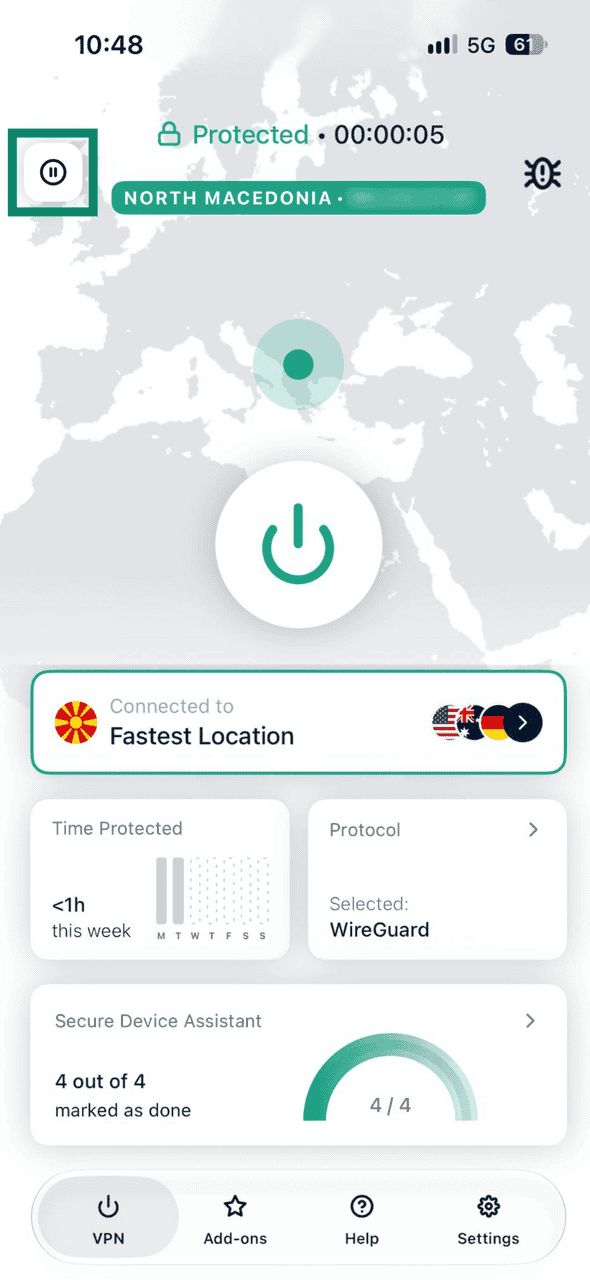
To use the Pause feature on iOS, make sure you are connected to a VPN server. Then, follow these steps:
- Tap the pause icon on the top-left corner of the homescreen.

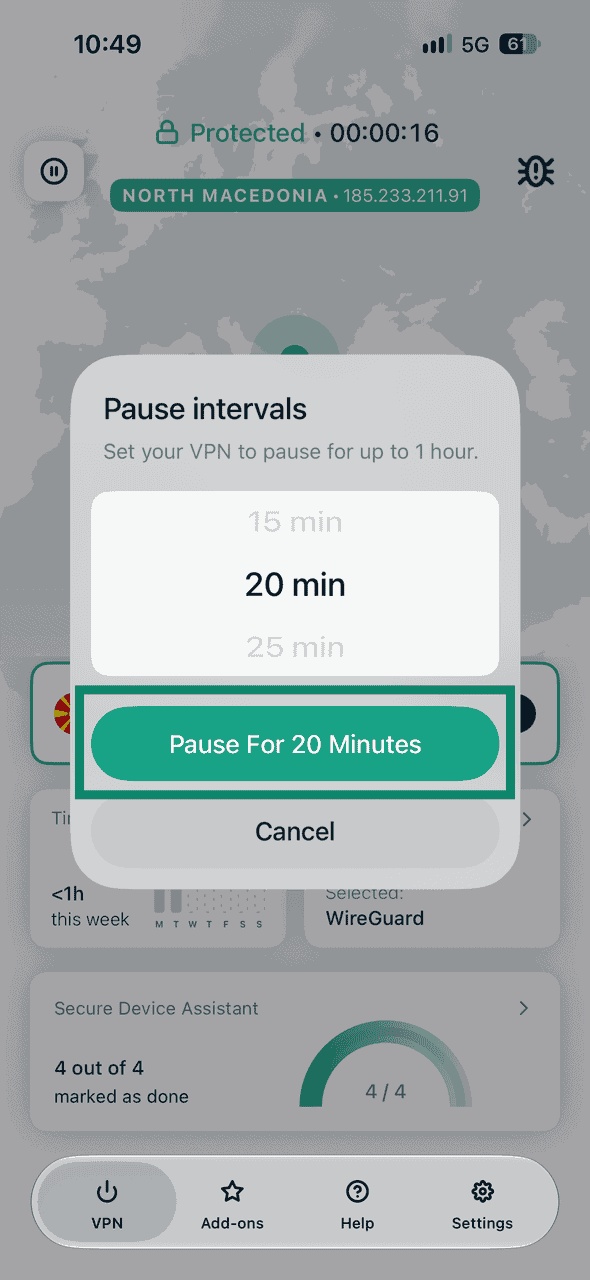
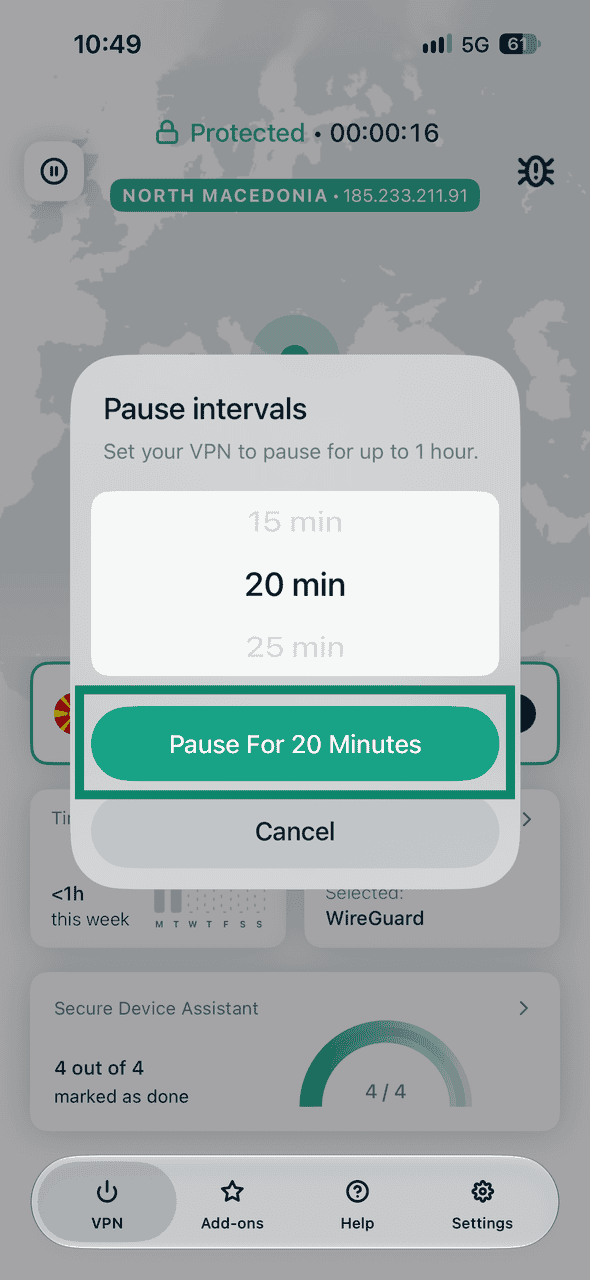
- Choose a pause interval, then tap Pause For xx Minutes.
- If successful, the ExpressVPN app will show a “Paused” message along with a countdown timer at the top of the homescreen.
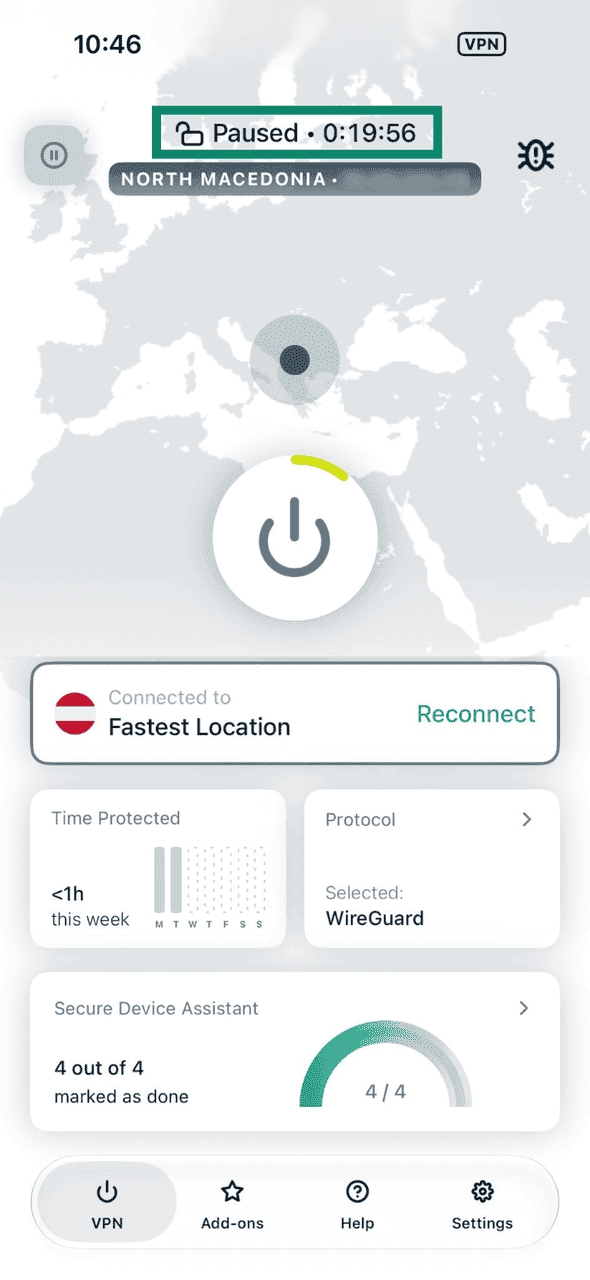
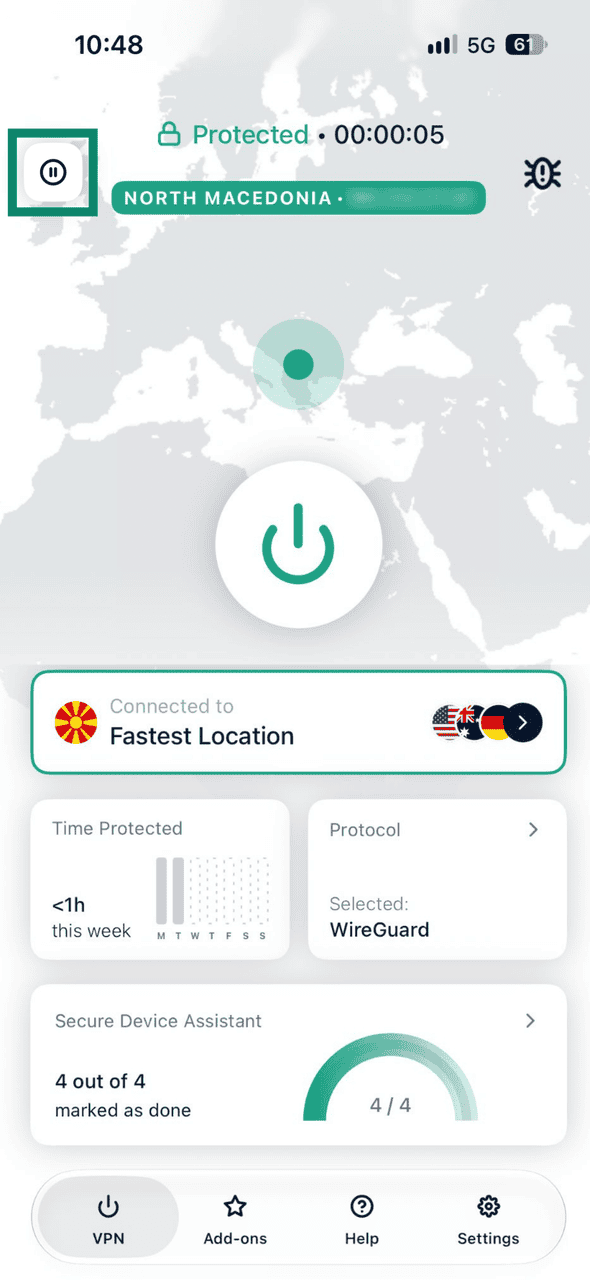
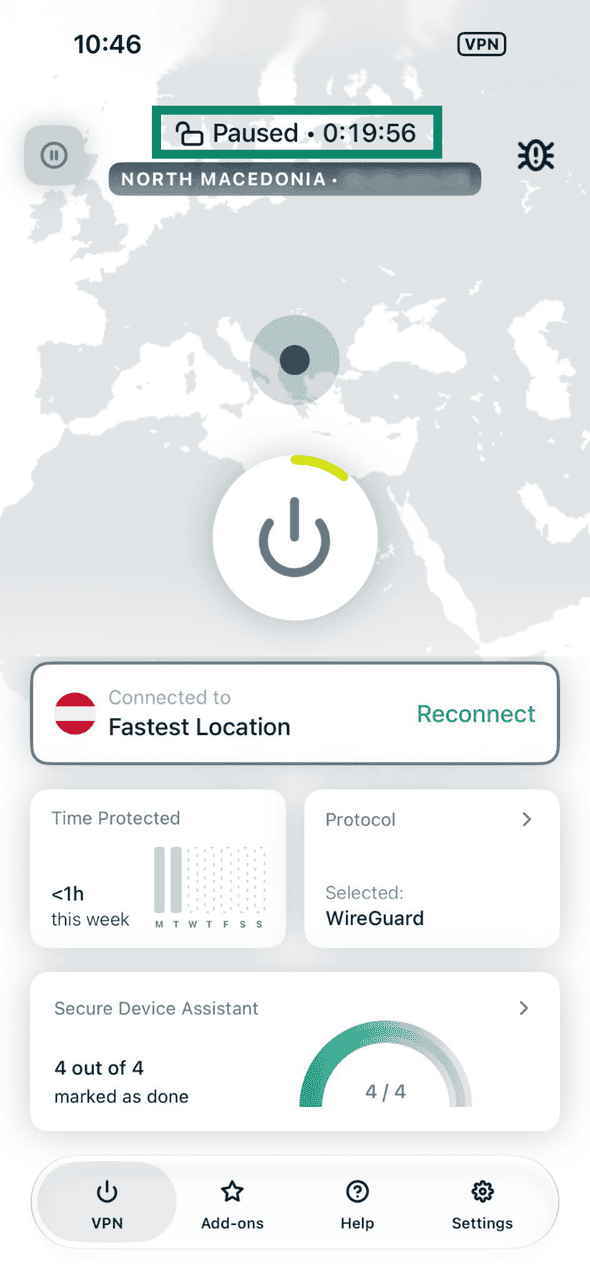
The VPN connection will automatically restore when the timer reaches zero.
How to change or end a pause
To reset or reduce the VPN pause interval, tap the pause icon, choose a new pause interval, and tap Pause for xx Minutes.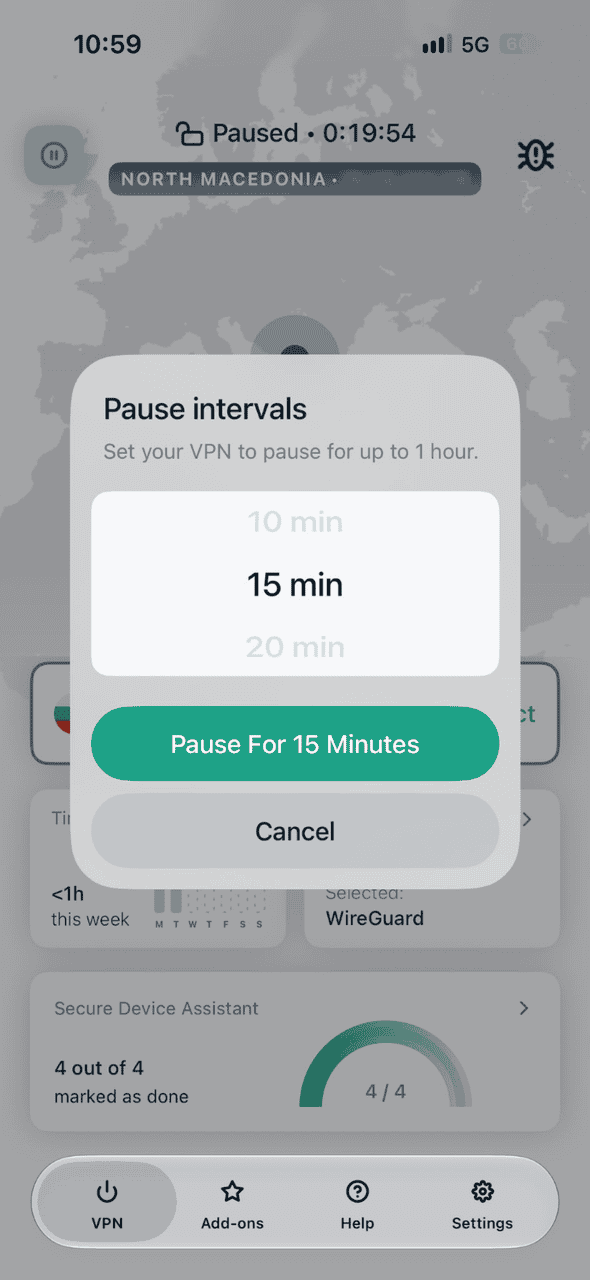
To resume a paused VPN connection, tap Reconnect in the VPN server location widget.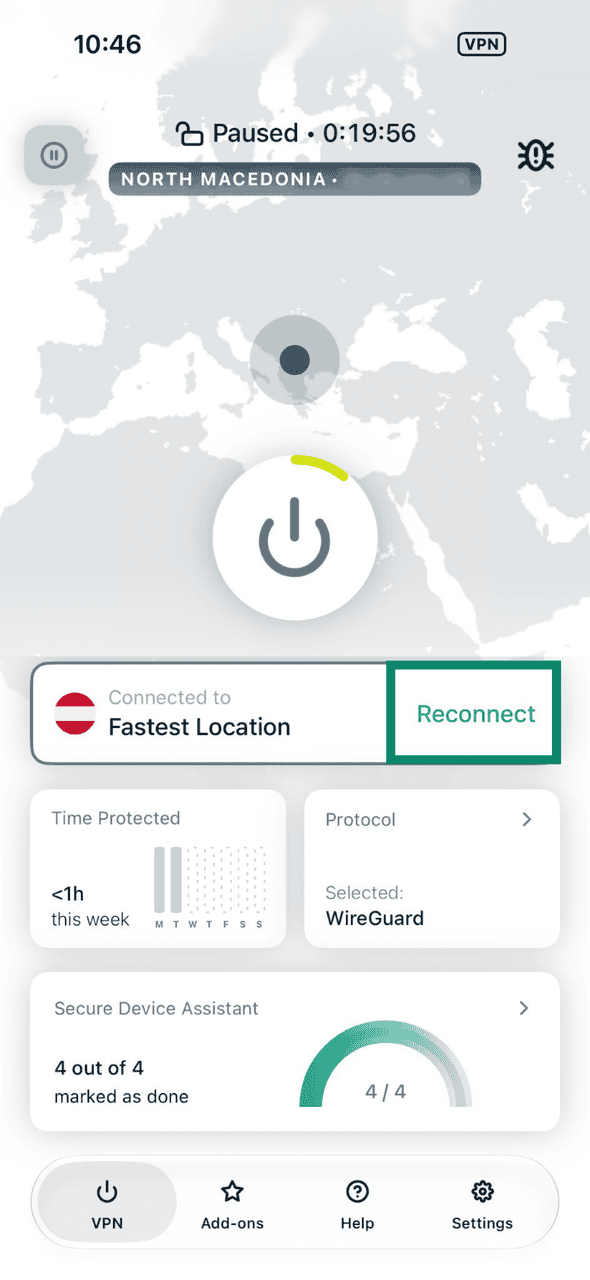
To disconnect from the VPN, tap the power button.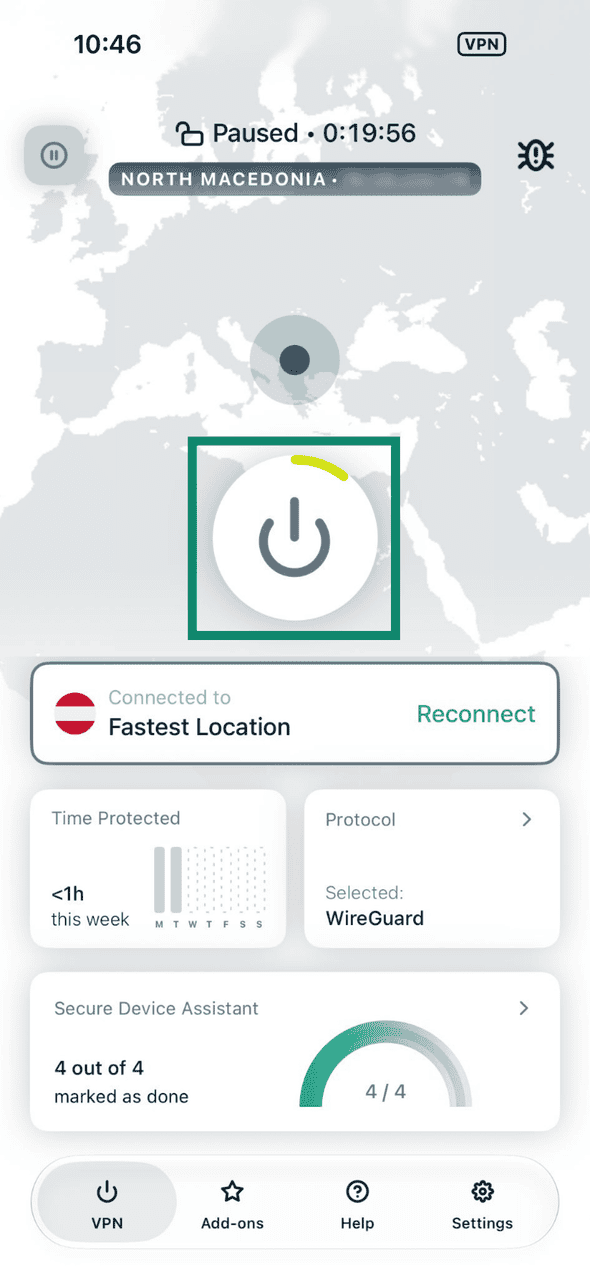
Need help? Contact the ExpressVPN Support Team for immediate assistance.
How to use the Pause function on Android
To use the Pause feature on Android, you have to be connected to the VPN. While connected, follow these steps:
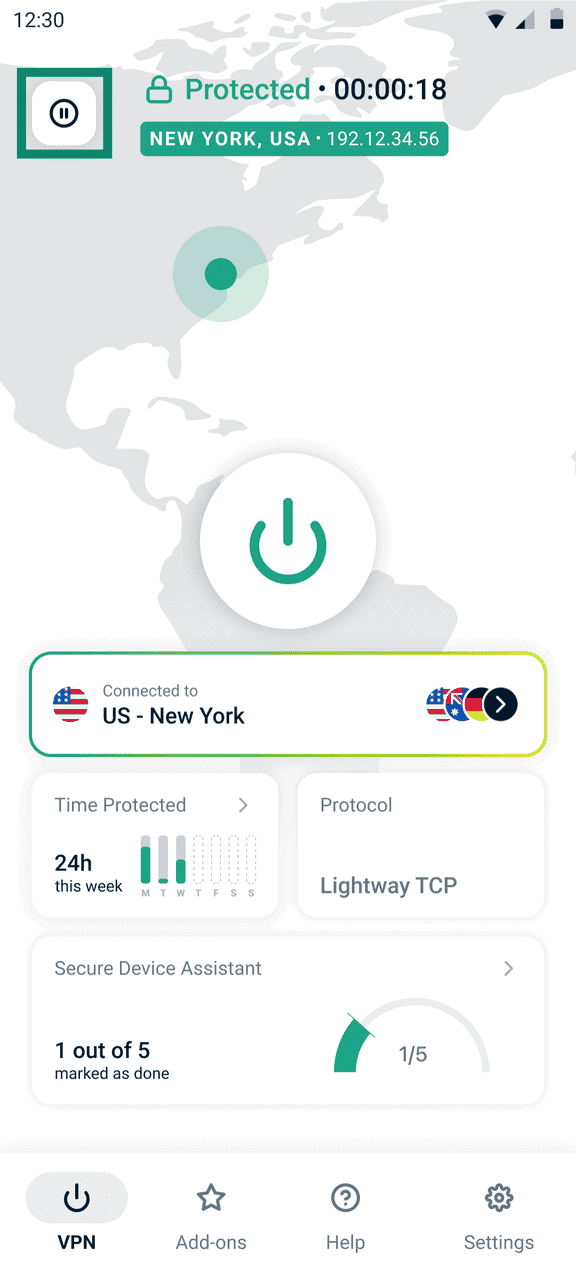
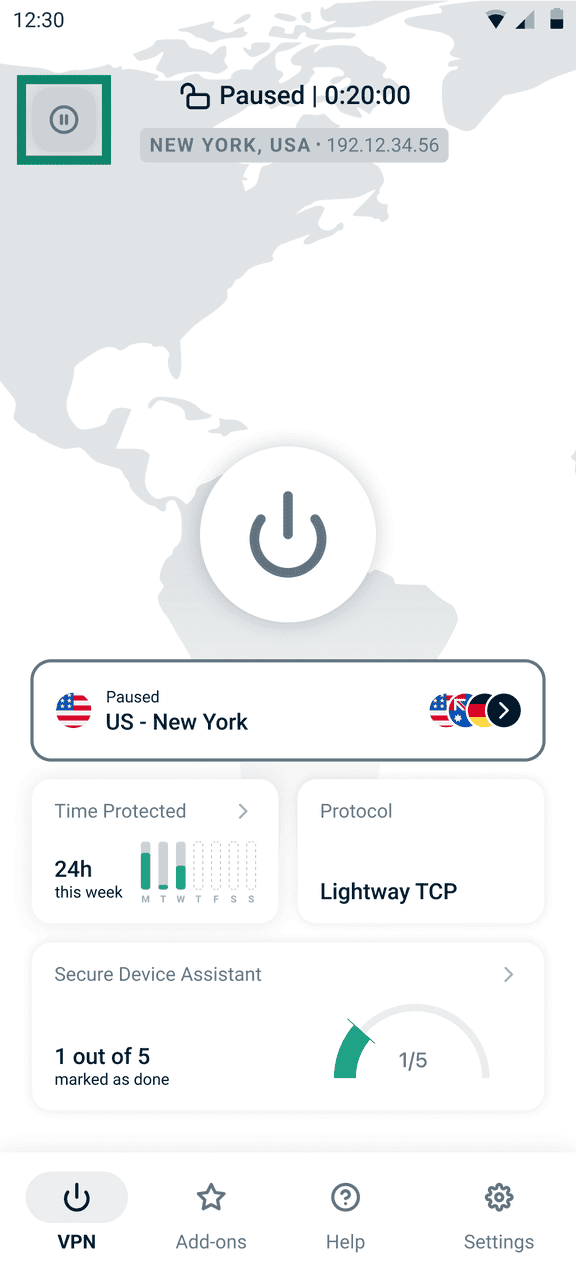
- Tap the pause icon, located in the top-left corner of the home screen.

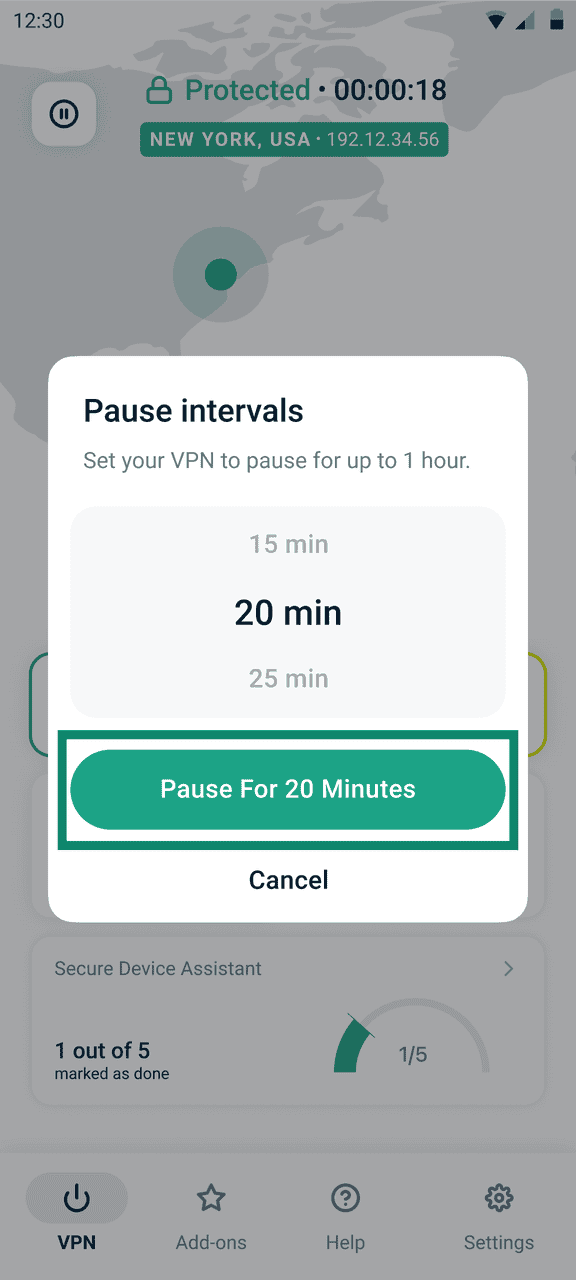
- Pick a pause interval and tap Pause For xx minutes.
- If successful, you will see a Paused message along with a countdown timer at the top of the homescreen.
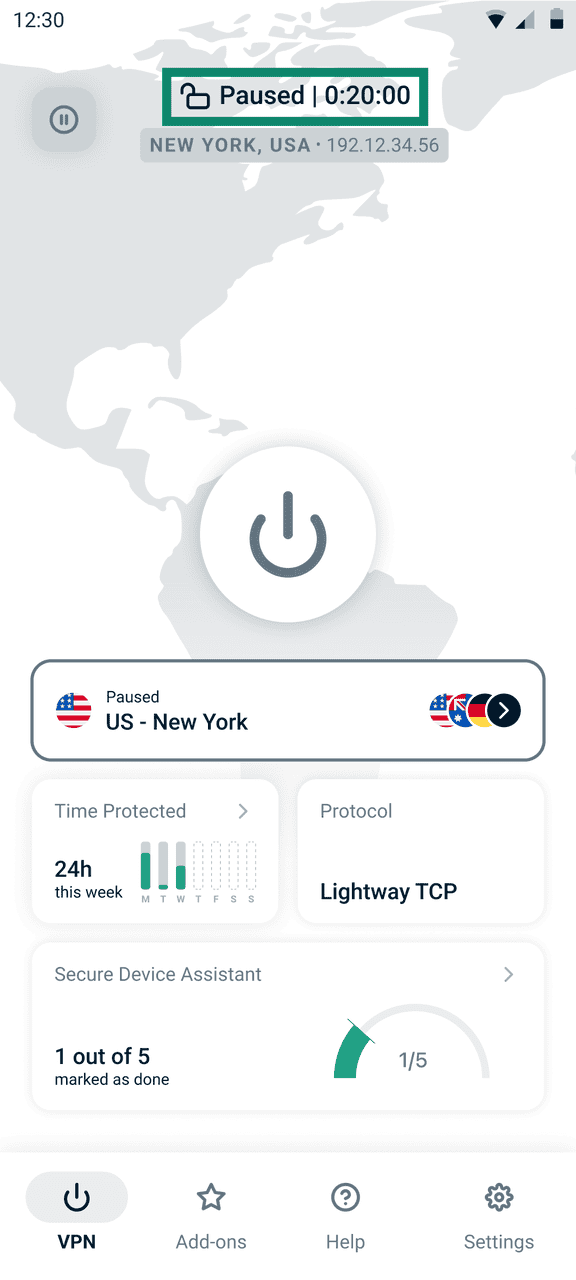
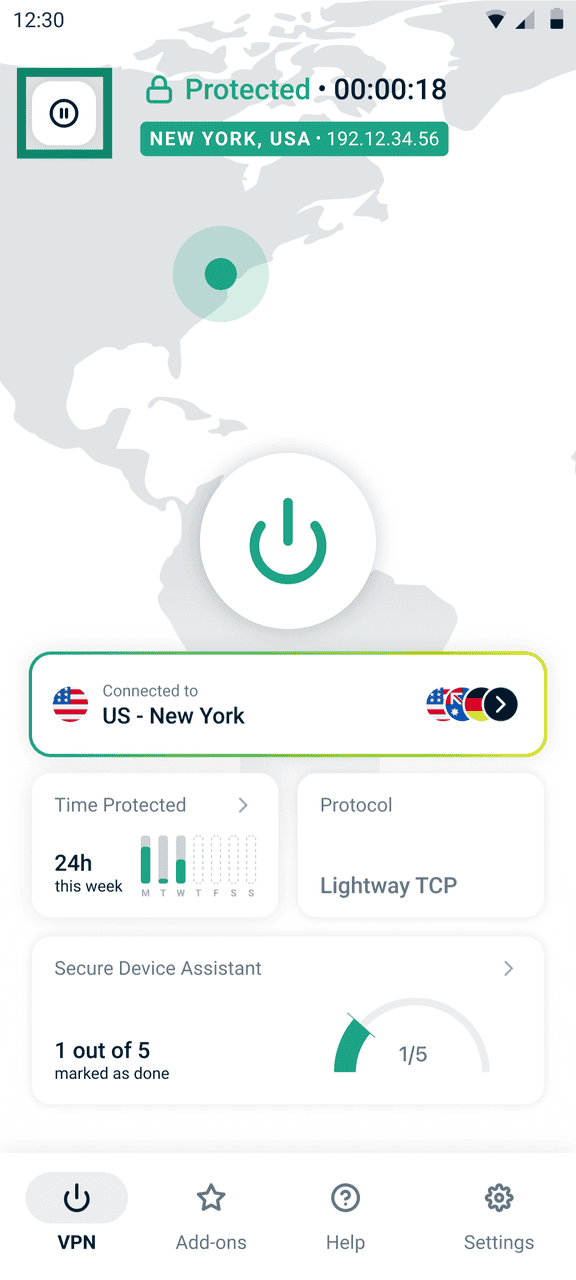
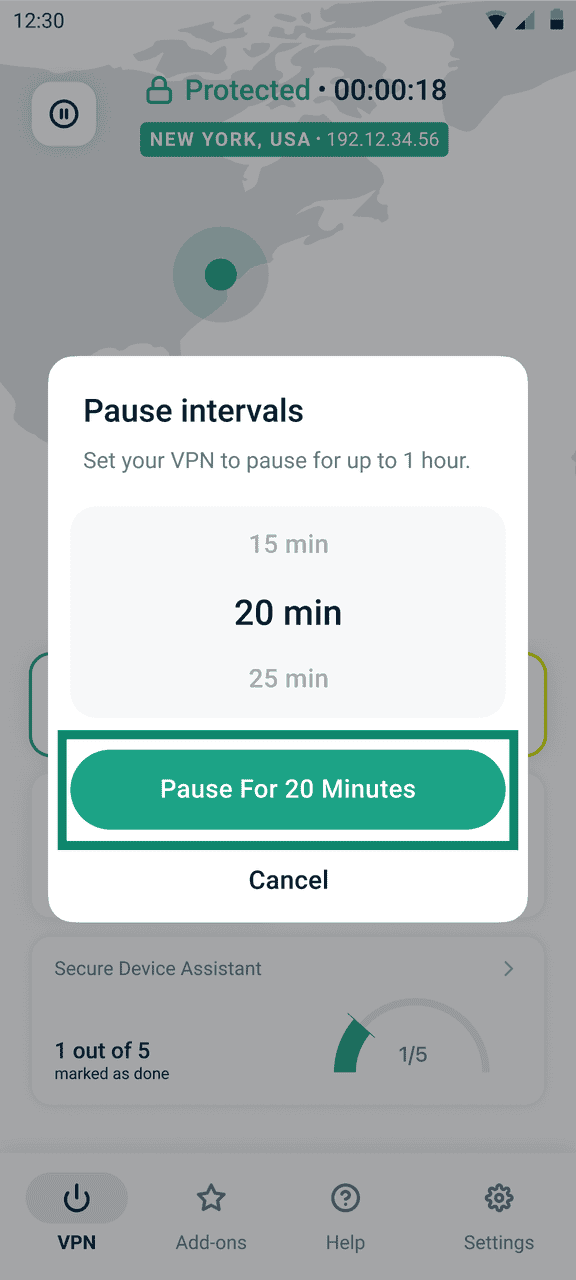
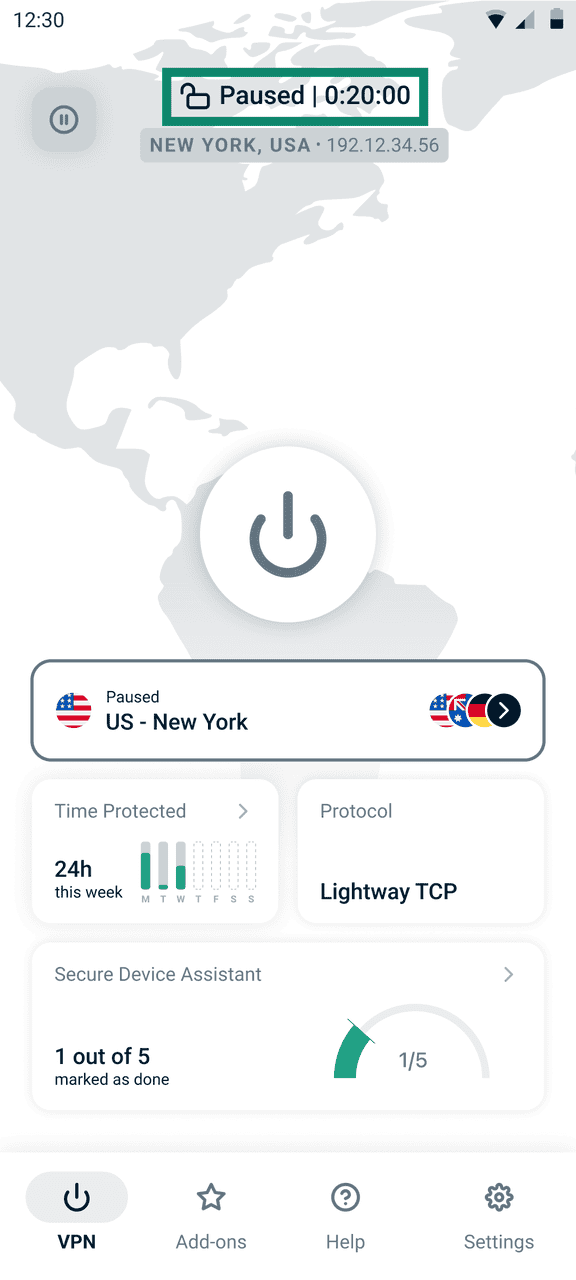
The VPN connection will automatically restore when the timer reaches zero.
How to end a pause early or disconnect
To manually restore the VPN connection before the timer runs out or disconnect from the server
- Tap the pause icon.
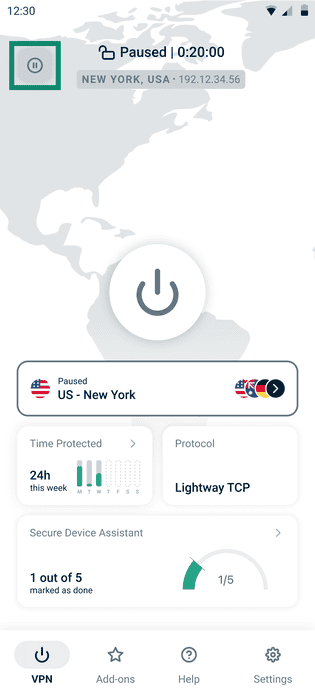
- Choose one of the following options:
- Reconnect Now: Reconnects you to ExpressVPN.
- Disconnect VPN: Disconnects you from ExpressVPN.
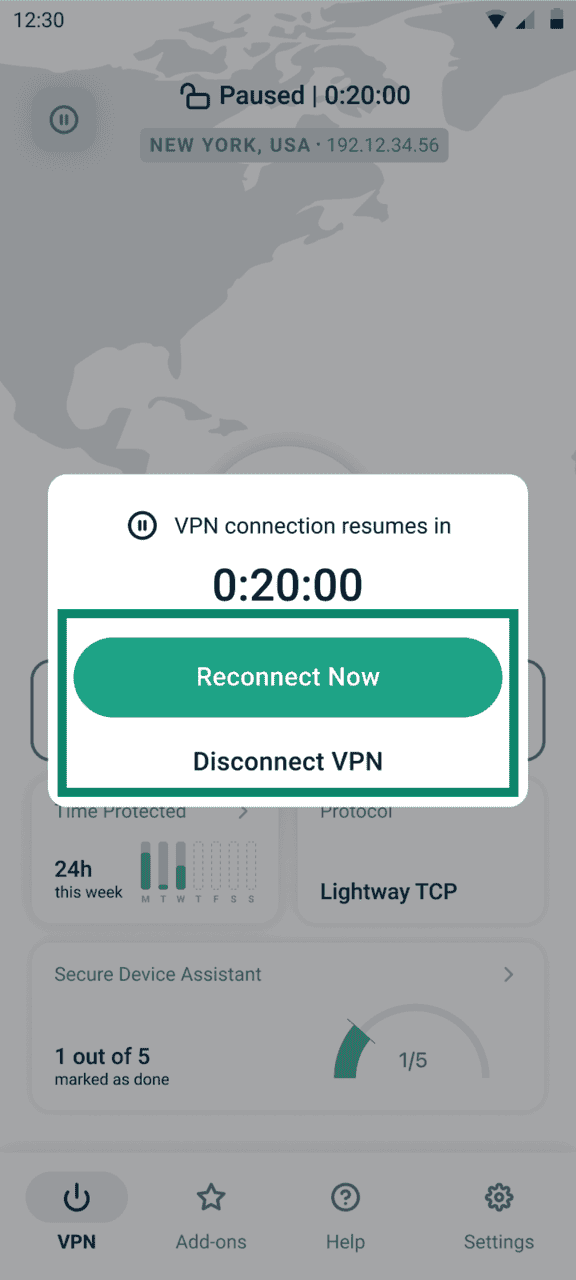
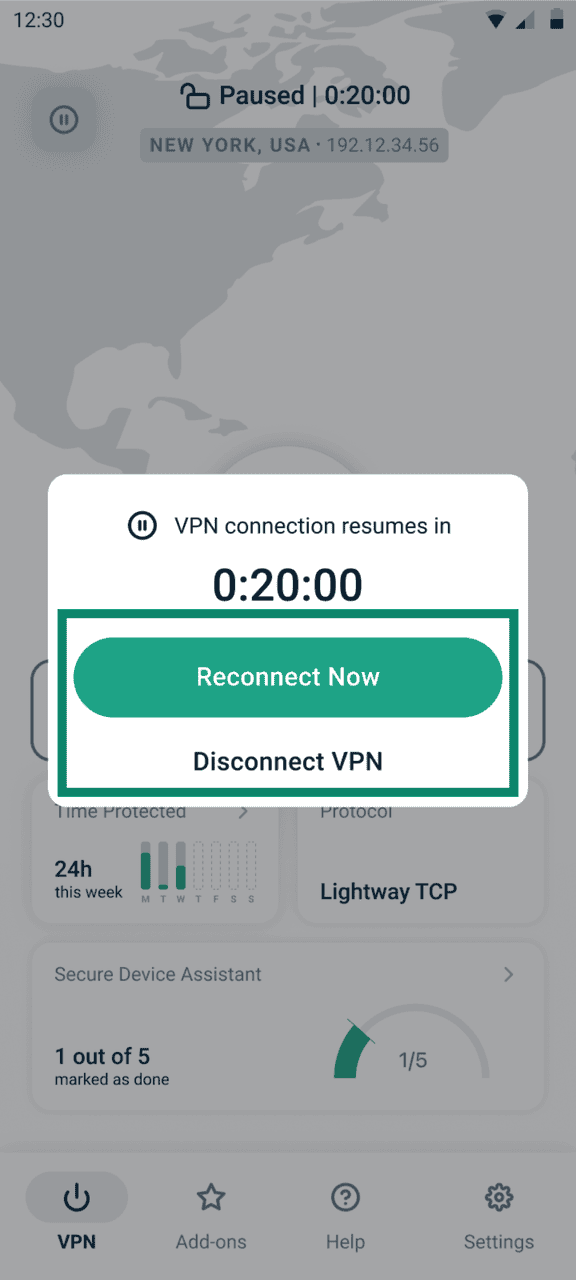
Note: You can also tap the power button while the VPN connection is paused to reconnect to ExpressVPN.
Need help? Contact the ExpressVPN Support Team for immediate assistance.
What to do if you can’t see the Pause function
The pause function is only available on the Android and iOS apps, and it only works when you are already connected to a VPN server. You need to connect to ExpressVPN to see the pause icon. If you are connected and still do not see it, update the ExpressVPN app to the latest version available for your device.
Need help? Contact the ExpressVPN Support Team for immediate assistance.
When should you use the Pause function?
You can use the Pause function in the ExpressVPN apps on mobile when you need a brief connection change but don’t want to turn the VPN off for longer than needed, such as when:
- You need to briefly use a website or an app that doesn’t work well with the VPN.
- You want to test whether the VPN connection is causing an issue.
- You want to access devices or services on your local network, like printers or smart devices.
Need help? Contact the ExpressVPN Support Team for immediate assistance.