What is bcrypt, and why does it matter for password security?


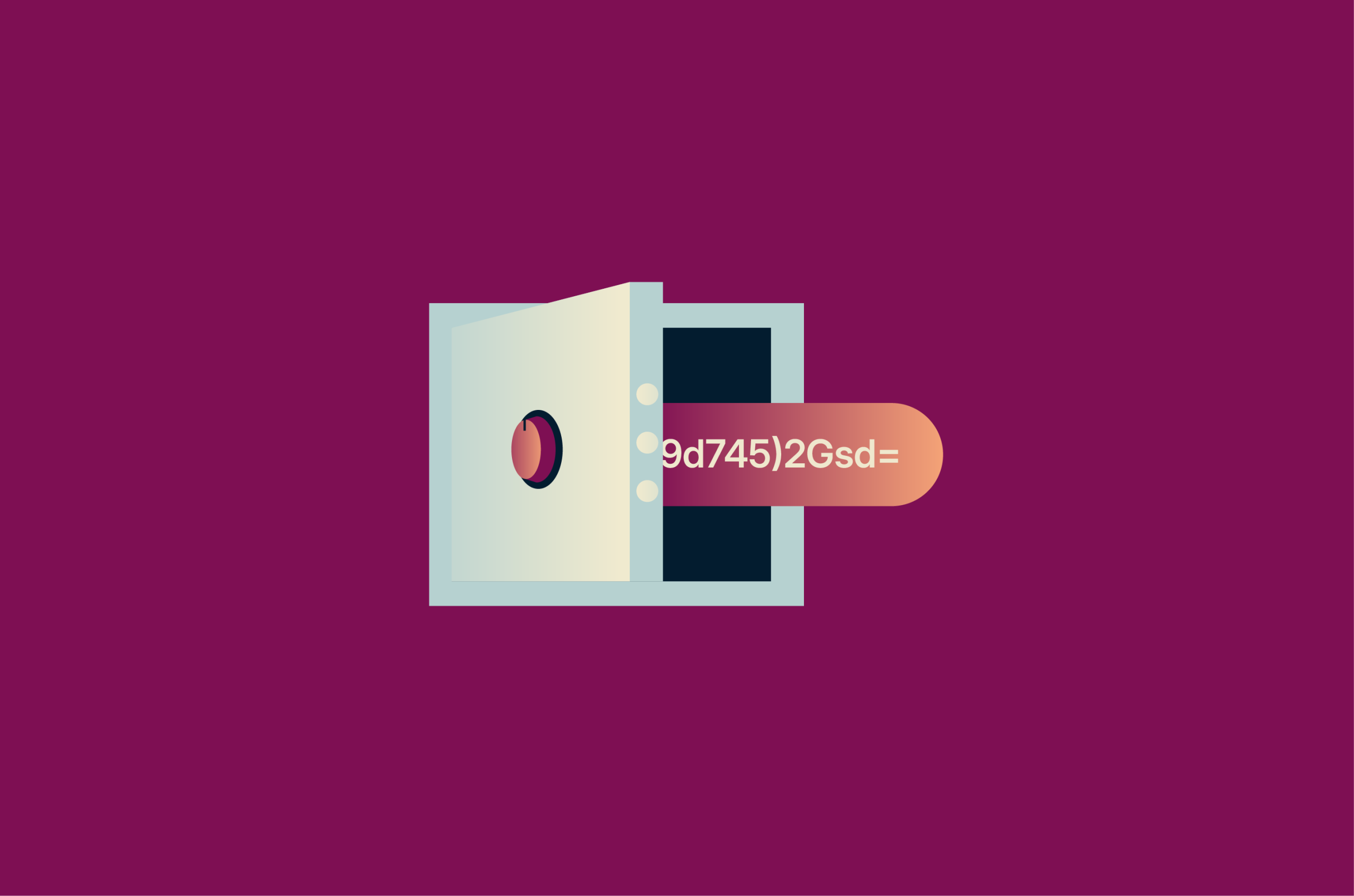
Passwords remain one of the weakest links in online security. bcrypt is a widely used password hashing function that helps protect stored passwords by using a salt and a configurable work factor to make cracking attempts slower and more expensive.
What is bcrypt?
bcrypt is a password hashing function that turns a password into a one-way hash for storage. The original plaintext password isn't stored, so if attackers obtain the hashes, they can't use them directly and must crack them offline.
bcrypt is designed to be computationally expensive. It’s based on the Blowfish cipher's key setup phase, which helps slow brute-force attacks.
Niels Provos and David Mazières created bcrypt in 1999 as a password-hashing scheme with an adjustable cost factor, so it could be tuned as computing power increased.
How does bcrypt work?
bcrypt combines several mechanisms to protect passwords against attacks. Before walking through the steps, here are some key concepts to know:
- Hashing: Converts a plaintext password into a one-way output that's difficult to reverse.
- Salting: Adds a unique random value to the password before hashing, so identical passwords produce different hashes.
- Work (cost ) factor: Controls how computationally expensive bcrypt is to run. A higher cost makes hashing slower, and brute-force attempts more expensive.
- Key stretching: Increases the amount of computation needed to test each password guess, helping slow offline cracking attempts.
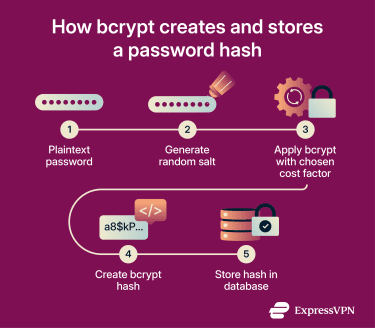
bcrypt combines salted password hashing with an adaptive work factor in a single password-hashing scheme. Here’s what the process looks like:
- bcrypt receives a plaintext password as input.
- bcrypt generates a random salt and combines it with the password during processing.
- The algorithm applies its expensive key-setup process using the password, salt, and selected cost factor. Higher cost settings require more computation.
- bcrypt produces a final stored output that includes the algorithm identifier, cost factor, salt, and resulting hash. This output is stored instead of the plaintext password.
- When a user logs in, bcrypt processes the entered password again using the stored salt and the same cost factor.
- The system compares the newly generated result with the stored hash. If they match, access is granted. If not, it's denied.
Benefits of using bcrypt
Here’s how bcrypt strengthens password storage and helps reduce the risk of common password attacks.
Unique salts prevent matching hashes across accounts
bcrypt adds a unique salt to every password before hashing it. This means even identical passwords produce different stored hashes, making it harder for attackers to spot reused passwords across accounts.
Salting also helps defeat rainbow-table attacks, which rely on precomputed hashes. Because each salt is unique, attackers cannot reuse one precomputed table across an entire password database.
Raises the cost of cracking
bcrypt forces attackers to work harder in two ways. First, salting stops one precomputed attack from scaling across the entire password database, forcing attackers to target each hash individually. Second, the work factor increases the computational cost of each password guess. Together, these features make large-scale offline brute-force and dictionary attacks slower, costlier, and less practical.
Supports stronger security practices
Organizations that handle sensitive data need appropriate technical and organizational safeguards. Using bcrypt for password storage can support a stronger authentication security posture, but it's only one part of broader compliance and security requirements.
Easy to adopt in modern applications
Many programming languages and frameworks, including Python and JavaScript, support bcrypt through established libraries and straightforward APIs. This makes it easier to add strong password storage without building a custom cryptographic system.
Helps protect trust and reputation
Password leaks can damage a company’s reputation and erode user trust. Strong password storage helps reduce the risk of exposing usable login credentials during a breach by protecting how passwords are stored.
bcrypt best practices
The following best practices help bcrypt deliver strong password protection in real-world applications.
Choosing the right cost factor
The right cost factor depends on balancing security and performance. A higher value makes password guessing more expensive for attackers, but it also increases login processing times.
This setting isn't permanent. As hardware improves and attackers gain more computing power, it's good practice to review and increase the cost factor as your systems allow.
Storing password hashes safely
In most systems, password hashes are stored in the application’s user database as part of each user record. With bcrypt, the stored value usually contains all the information needed to verify a password later, including the algorithm or version identifier, cost factor, salt, and final hash, often in a single string.
Because bcrypt typically stores this information together, the salt doesn't usually need its own database column. What matters most is that the value is stored exactly as generated, the database field is large enough to avoid truncation, and the application can retrieve it later when verifying login attempts.
Also read: What is a password manager and why should you use one?
Rehashing passwords over time
Rehashing helps keep password storage strong as hardware improves and security expectations change. A common approach is to rehash after a successful login, when the plaintext password is available, using a higher cost factor or a newer password hashing scheme.
How to implement bcrypt
Most major languages offer maintained bcrypt libraries that handle salt generation and password hashing without requiring developers to manage salts manually.
bcrypt libraries typically generate a random salt and produce the final password hash in a single step. Choose a cost factor that balances security and performance on your own systems. For legacy systems using bcrypt, the Open Worldwide Application Security Project (OWASP) recommends a work factor of at least 10, while the National Institute of Standards and Technology (NIST) recommends a cost factor as high as practical without adversely affecting verifier performance. It should also be reviewed and increased over time as hardware improves.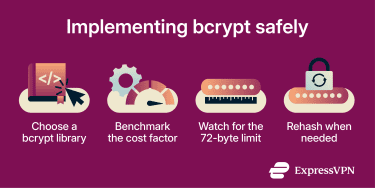
Implementation pitfalls
bcrypt has a 72-byte password limit. Some implementations historically ignored bytes beyond that limit, while others now reject overly long passwords. For passwords containing multibyte characters, the effective character limit can be lower. If a system needs to support very long passwords, some implementations document a workaround that hashes the password first with Secure Hash Algorithm 256-bit (SHA-256), Base64-encodes the result, and then passes that value to bcrypt.
Another common mistake is leaving the cost factor unchanged for too long. It's recommended to upgrade the work factor over time, typically by rehashing the password the next time the user successfully logs in. This lets the application move to stronger settings without rewriting the entire password database at once.
bcrypt vs. other hashing algorithms
bcrypt isn’t the only algorithm used for password hashing.
SHA-256 is a general-purpose cryptographic hash function that produces fast, fixed-length outputs. It works well for integrity checking and as a component in digital signature systems, but its speed makes it a poor choice for password storage on its own because it allows attackers to test guesses very quickly.
Argon2id is a newer password-hashing algorithm in the Argon2 family that won the Password Hashing Competition in 2015. Like bcrypt, it's designed to slow offline cracking, but it also adds configurable memory cost, making it harder to accelerate with specialized hardware. Argon2id is currently the top choice for password storage.
| Feature | bcrypt | SHA-256 | Argon2id |
| Speed | Slow | Very fast | Slow |
| Memory use | Low | Very low | High |
| Built-in salt handling | Yes | No (must add manually) | Yes |
| Adjustable strength | Yes (cost factor) | No | Yes (time + memory) |
| Password storage suitability | Good | Poor on its own | Strong |
Is bcrypt still secure today?
bcrypt remains a viable option, especially in legacy systems, but it has drawbacks, including:
- Limited memory hardness: bcrypt slows down attackers by increasing CPU work, but it uses far less memory than Argon2id. This makes it less resistant to attackers who use GPUs or other specialized hardware to accelerate cracking attempts
- Implementation differences: Different languages and libraries handle bcrypt slightly differently, especially around edge cases such as passwords longer than 72 bytes. This can create compatibility issues across systems.
bcrypt remains reliable for systems already using it, especially with an appropriately tuned cost factor. For new implementations, Argon2id generally offers stronger long-term protection against hardware-accelerated cracking.
Also read: What is ExpressKeys password manager?
FAQ
Is bcrypt secure for password hashing?
Why is bcrypt slower than SHA-256?
Can bcrypt hashes be cracked?
When should you use Argon2 instead of bcrypt?